MCP Server Integration
VS Code Extension Integration
The kanban board with agent integration
Plan on the board and then hand off to your agents.
Organise the work. Control the context. Stay in the Loop
Download the VS Code Extension From:
Or connect any MCP client (Claude Code, Codex, Cursor): MCP Integration guide
Kanban Board
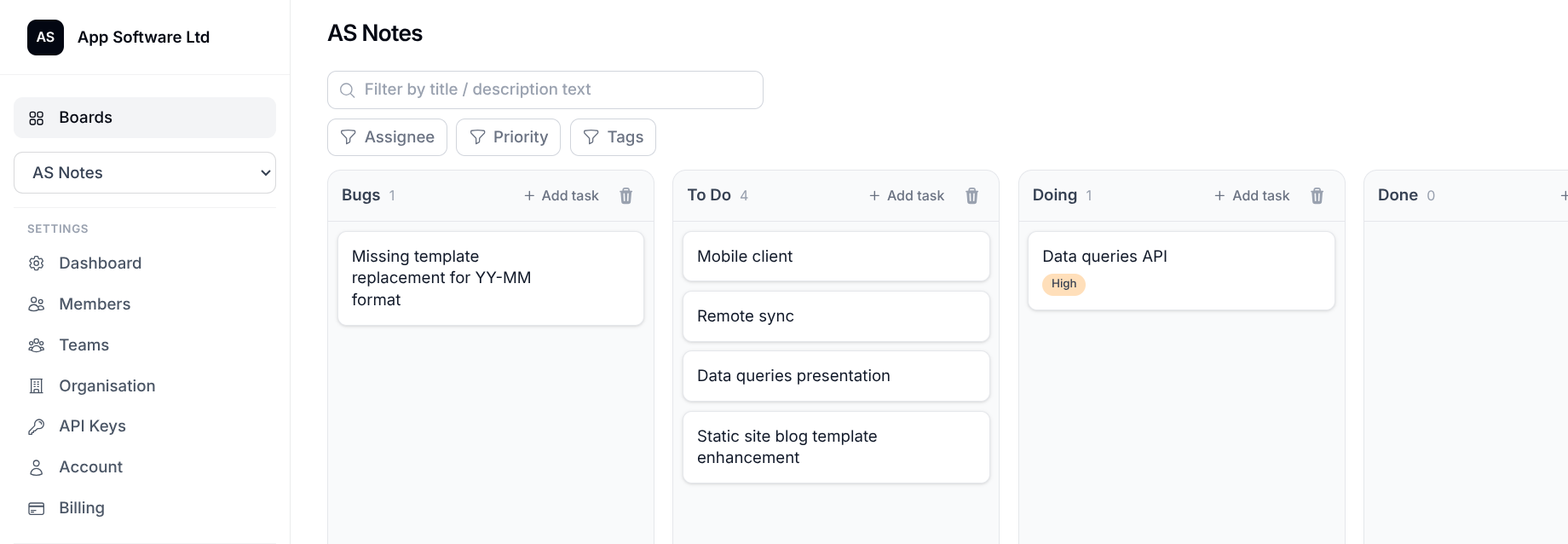
AgentKanban VS Code side bar and board
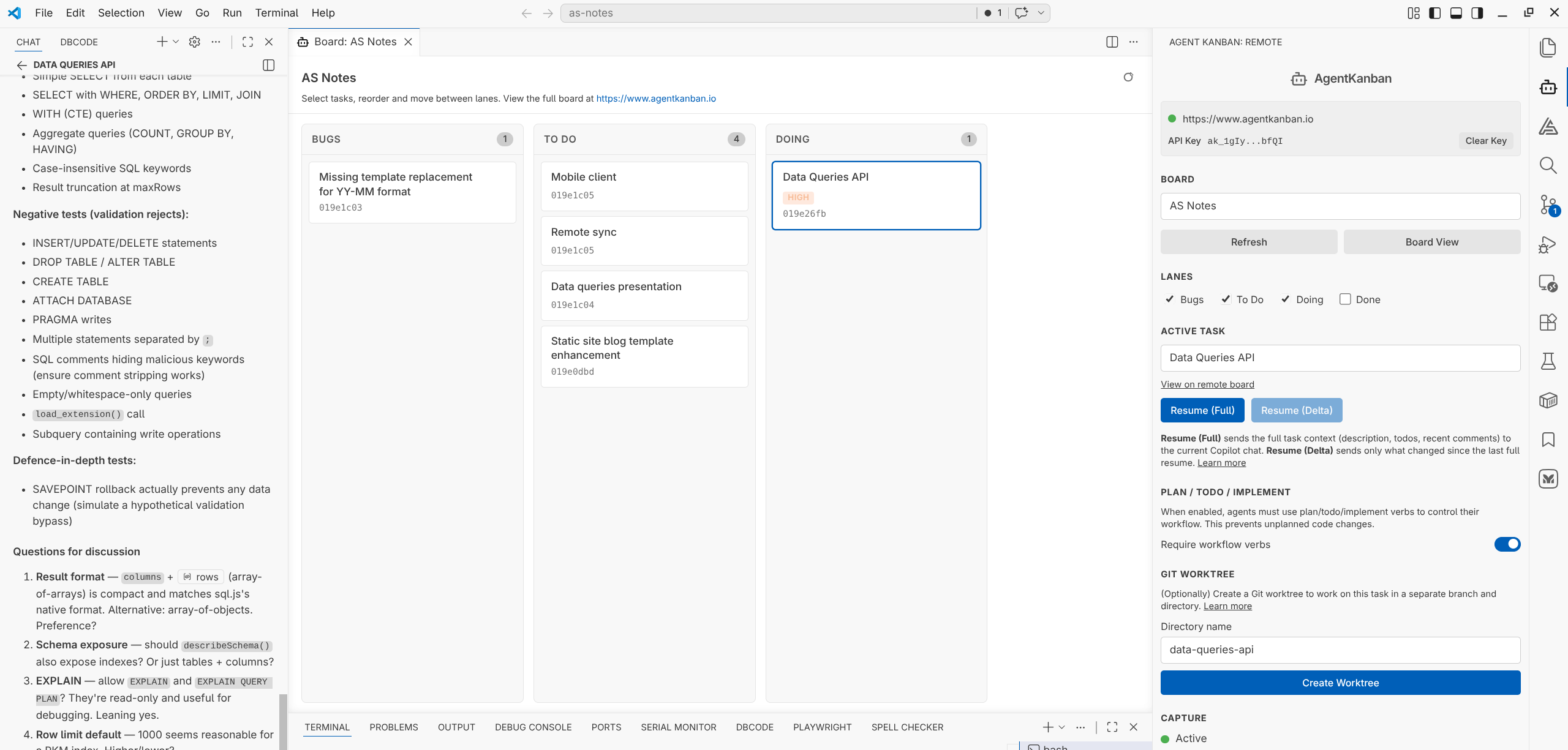
Task and Context Management, In One Tool
Project and task organisation
Run projects from hosted boards, lanes, and tasks that stay accessible from the browser, your IDE, and any agent connected over MCP. The board remains the source of truth for the work itself.
Agent context capture
Bind agent harness chats to the active task so prompts, responses, and task-level steering are captured against the work they belong to, not lost in a chat tab.
Low-noise resume
Resume a task in a new chat with task-specific context already injected, so the next session starts from the relevant history instead of a bloated transcript.
MCP for any agent
Claude Code, Codex, Cursor or anything else that speaks MCP can load a task by ID, read the board's instructions and memory, work through the todos, and update the board as it goes.
AgentKanban gives you the tools you need to manage context in agentic workflows effectively
Ephemeral chats work for small tasks, but break down for large tasks and wider project execution. AgentKanban keeps the task, the conversation history, the manual steering, and the wider board context attached to the same unit of work.
Ephemeral chat becomes task history
Each agent harness turn is captured against the active task so the useful parts of execution do not vanish into a single chat tab. The task keeps the timeline, steering, and decisions attached to the work itself.
Resume without dragging forward the whole transcript
Reopen a task in a new chat with task-specific context already loaded - one click from the VS Code extension, or a task ID given to any MCP-connected agent. That reduces context bloat and gives the next session a cleaner starting point.
Share task context across members and sessions
Because the context is stored on the task, another project member can pick it up later and inherit the relevant reasoning, comments, todos, and notes. This turns private chat history into shared project context.
Record decisions where feature work actually lives
Comments, todos, board memory, and attachments sit next to the task instead of being scattered across chats and documents. When a feature changes later, the earlier reasoning is still on the board.
Put task organisation and agent context in the same workflow.
Create a free account, connect your agent, and turn isolated chat work into resumable, shareable task history.
Questions? Contact us